

In today’s digital world, keeping your organisation’s digital assets safe is key. A strong focus on network security essentials is vital for any good defence plan.
eSecurity Planet says businesses need a multi-layered approach. This means doing detailed risk checks and using tech like firewalls.
But it’s not just about setting things up once. Keeping your network safe also means regular updates and teaching users how to stay safe online.
These computer safety measures help build a strong secure network infrastructure. They help organisations fight off new cyber threats.
Assessing Your Current Network Security Posture
Before adding new security steps, organisations need to know their current defence level. A detailed security posture analysis is key to improving security. It spots weaknesses and sets a starting point for betterment.
Conducting a Thorough Network Inventory
Starting with a full inventory is the first step in any network security audit. You can’t protect what you don’t know about. This list should include all hardware, software, and network parts.
Today’s networks have more than just computers and servers. The inventory must cover this variety to be effective.
Identifying All Connected Devices
Finding all devices is more than just counting computers and servers. Modern networks have many devices that are often missed:
- Employee mobile devices accessing corporate resources
- Internet of Things (IoT) sensors and controllers
- Network printers and multifunction devices
- Temporary contractor equipment
- Unauthorised personal devices
Tools can find connected devices, but checking them by hand is also needed. Regular checks keep the inventory up to date as networks change.
Evaluating Existing Security Measures
After knowing what needs protection, the next step is to check how well current security works. This look should cover both technical steps and policies.
Good security needs many layers working together. A detailed security posture assessment checks how these layers work and finds gaps.
Analysing Firewall and Antivirus Configurations
Firewalls and antivirus are key defences for most networks. But, just having them is not enough without the right settings.
Firewall checks should look at:
- Rule set consistency and necessity
- Default permit versus deny configurations
- Regularity of rule reviews and updates
- Segmentation between network zones
Antivirus checks should make sure:
- All endpoints have active protection
- Definition updates occur automatically
- Scan schedules align with usage patterns
- Quarantine procedures function correctly
This vulnerability assessment often finds surprising mistakes. Many find old rules letting in unwanted traffic or antivirus not up to date.
“The most dangerous vulnerabilities are often the ones we’ve forgotten about—those outdated firewall rules from projects long completed or antivirus exceptions made for temporary needs that became permanent.”
Writing down what you find is very useful for future security plans. This info is key when planning upgrades or dealing with security issues.
Implementing and Configuring Firewall Protections
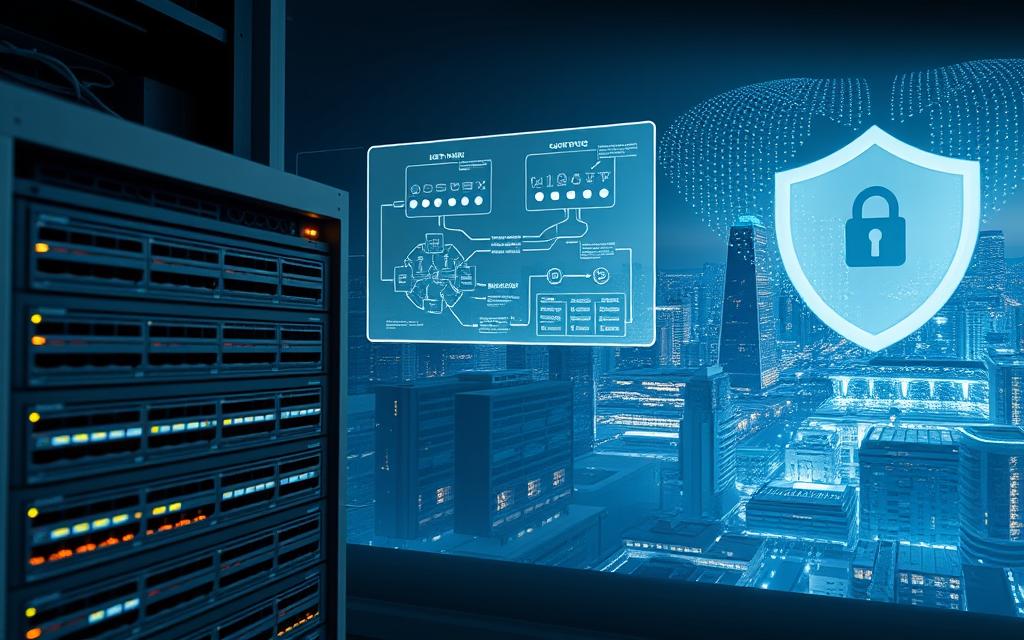
Firewalls are key to a strong network security plan. They block unwanted access and harmful traffic. It’s vital to set them up right for full protection.
Choosing Between Hardware and Software Firewalls
Choosing the right firewall depends on your needs. Hardware firewalls are physical devices that protect whole networks. They offer top-notch network traffic filtering without using up system resources. They’re great for big companies needing strong defence.
Software firewalls are installed on devices and control access to apps. They’re best for mobiles and remote workstations, creating secure zones anywhere.
Many use both hardware and software firewalls. This way, they have strong defence at the network edge and detailed protection for devices.
Best Practises for Rule Configuration
Good firewall configuration starts with clear rule management. Follow these tips for the best security:
- Only allow necessary traffic
- Order rules from specific to general
- Remove old rules regularly
- Keep records of rule changes
- Use deny-all rules as last resort
Good rule management boosts your security. It reduces risks while keeping things running smoothly.
Utilising Advanced Firewall Features
Today’s firewalls do more than just block traffic. They use stateful inspection to track connections and make smart decisions. Deep packet analysis checks content for threats, and application-aware filtering controls traffic by program, not just port.
These features help make security smarter. They adapt to traffic patterns, not just static rules.
Setting Up Intrusion Prevention Systems
Adding intrusion prevention makes firewalls more active. IPS checks traffic in real-time, stopping threats before they hit your systems.
To set up IPS well, you need to fine-tune it. This means:
- Know what normal traffic looks like
- Set the right sensitivity levels
- Have plans for different threats
- Keep signatures up to date
- Watch for and fix false positives
Good IPS blocks threats and sends alerts for review. This keeps your network safe and informed.
Testing your firewall configuration is key. Do penetration tests and vulnerability checks to find weak spots. This way, you stay ahead of threats.
Establishing a Regular Update and Patch Management Routine
Keeping your network safe is not just about setting it up. It’s about staying alert and keeping it updated regularly. A good patch management strategy is your first defence against new threats. It stops vulnerabilities from being used by attackers.
Creating a Patch Management Schedule
Being consistent is key to good security. Companies should make a plan for when and how software updates will be applied to the network.
This plan should cover different kinds of updates:
- Emergency patches for critical vulnerabilities
- Regular monthly security updates
- Quarterly feature updates and system enhancements
Automating Update Processes Where Possible
Automation helps avoid mistakes and makes sure everything is updated. Modern tools can:
- Scan for available updates across all systems
- Download verified patches from trusted sources
- Schedule deployments during off-peak hours
These systems also make reports on your security, giving you a clear view.
Testing and Deploying Critical Security Patches
Every patch needs to be tested before it’s used across the whole network. This testing phase checks for any problems with other apps or system stability.
The testing should include:
- Installation on non-production systems
- Compatibility testing with business-critical applications
- Performance benchmarking before and after patch application
Prioritising Updates Based on Risk
Not all updates are urgent. Good vulnerability patching means sorting updates by risk. This is based on:
- The severity of the vulnerability being addressed
- Whether the vulnerability is being actively exploited
- The exposure level of affected systems
Updates for high-risk vulnerabilities should be applied quickly, within 24-48 hours. Updates for medium and low-risk issues can follow your usual schedule.
This way, you focus on the most important updates. It helps you use your security resources wisely and keeps your systems stable.
Enforcing Strong Access Control and Authentication Measures
Strong access management is key to protecting modern networks. Access control policies make sure only the right people can access sensitive areas. This makes your network much safer.
Implementing Multi-Factor Authentication Systems
Multi-factor authentication is a big step up from just using passwords. It asks for more than one thing to prove who you are. This can be something you know, something you have, or something you are.
Today’s multi-factor authentication systems are smart and easy to use. They learn how you usually act online. This helps keep you safe without making things too hard.

Setting up your multi-factor authentication right is important. Use standards like RADIUS or TACACS+ for better management. These help keep your network safe and secure.
Choose protocols that encrypt your login details. New systems should also support certificates. This makes your login process stronger against threats.
Managing User Permissions and Access Rights
Good user permission management needs clear access control policies. These policies should say who can do what. It’s also important to check these rules often.
Using automated systems for user permissions can save time. They give access based on rules and changes. This keeps things secure without too much work.
Applying the Principle of Least Privilege
The least privilege principle means giving users only what they need. This limits damage if someone’s account gets hacked. It’s about giving users exactly what they need, not more.
Regularly check who has what access to follow the least privilege principle. Look for and remove any extra permissions. This should involve both automated checks and manager approval.
Following the least privilege principle makes your network safer. It also makes it easier to spot and deal with any unusual activity. This helps keep your network secure and efficient.
Deploying Network Monitoring and Intrusion Detection Tools
Keeping a close eye on your network is key to strong security. Using top-notch monitoring tools helps spot threats early. This way, small issues don’t turn into big problems.
Setting Up Continuous Network Monitoring
Watching your network all the time gives you a clear picture of what’s happening. It helps security teams know what’s normal and what’s not. This way, they can spot odd behaviour right away.
Today’s network monitoring tools give you a live view of your network. They track everything from traffic to user actions. This means you can see what’s going on in real-time.
Configuring Alert Systems for Suspicious Activity
Alert systems turn data into something you can act on. They send out warnings as soon as something looks off. This way, security teams can jump into action fast.
Good alert systems know the difference between real threats and false alarms. They sort alerts by how serious they are. This means the most urgent ones get noticed first.
Conducting Regular Security Audits and Log Analyses
Regular checks find weaknesses that might slip past automated systems. Audits look at how things are set up, who has access, and if everything follows the rules.
Looking at logs helps understand past security issues. It lets teams see patterns and improve their defences. This way, they can stay one step ahead of threats.
Using SIEM Tools for Complete Monitoring
Security Information and Event Management systems collect and connect data. SIEM security tools bring together info from different sources. They show everything on one screen.
These advanced tools do deep analysis on lots of data. They link events from firewalls, servers, apps, and intrusion detection systems. This gives a full picture of what’s happening.
Modern SIEM tools use machine learning to spot hidden threats. They also update their rules based on new threat info. This keeps your system up to date and ready for anything.
“The value of SIEM lies not just in collecting data, but in transforming it into actionable security intelligence.”
Setting up SIEM needs careful thought about data storage and analysis. You also need to think about how it will grow with your needs. Choosing the right SIEM security solution is all about finding the balance between now and later.
How Can You Secure a Computer Network Through User Education
Firewalls and monitoring systems are key to protecting your network. But, the human factor is both a risk and a strong defence. Employees who know about cyber threats can stop attacks that get past technology.

Developing Comprehensive Security Awareness Training
Security awareness training turns employees into network protectors. It teaches them to spot social engineering tricks, browse safely, and handle data right.
Regular training keeps security on everyone’s mind. It also keeps up with new threats. Training should be fun and fit the job of each employee.
Implementing Phishing Simulation Programmes
Phishing is a big threat, making phishing prevention through simulations very useful. These tests let employees practice spotting fake emails safely.
Good programmes start simple and get harder. They give feedback right away. This makes employees better at spotting real phishing.
Creating and Enforcing Clear Security Policies
Clear cybersecurity policies help everyone follow the same security rules. These policies cover how to use company resources, password rules, and data types.
Policies should be easy to find and understand. They need to be updated with new tech and threats.
Establishing Consequences for Policy Violations
Without rules, even good policies don’t help. Having clear consequences shows you’re serious about security.
Disciplinary steps, like extra training or account suspension, are fair and keep security high. This makes everyone feel responsible for security.
By combining security awareness training and clear policies, you create a strong defence. This mix of human and technical efforts greatly reduces attacks that target people, not systems.
Conclusion
Securing a network is not a one-time job, as eSecurity Planet points out. It’s a continuous effort to keep up with new threats and update defences. Companies must always be ready to protect their digital assets.
A good plan for network security uses strong technology, strict rules, and keeps staff informed. This multi-layered approach makes it tough for threats to get through. By following best practices, you can build a strong defence that can handle new risks.
Improvement is key to keeping your network safe. Regular checks, updates, and training keep you ahead of dangers. For more tips, check out ways to secure a computer network on 1800 Office Solutions. Being alert and flexible is the best way to protect your network in today’s fast-changing world.


 By
By