
Network topology is the basic plan of how computer systems connect. It shows how devices are arranged and talk to each other.
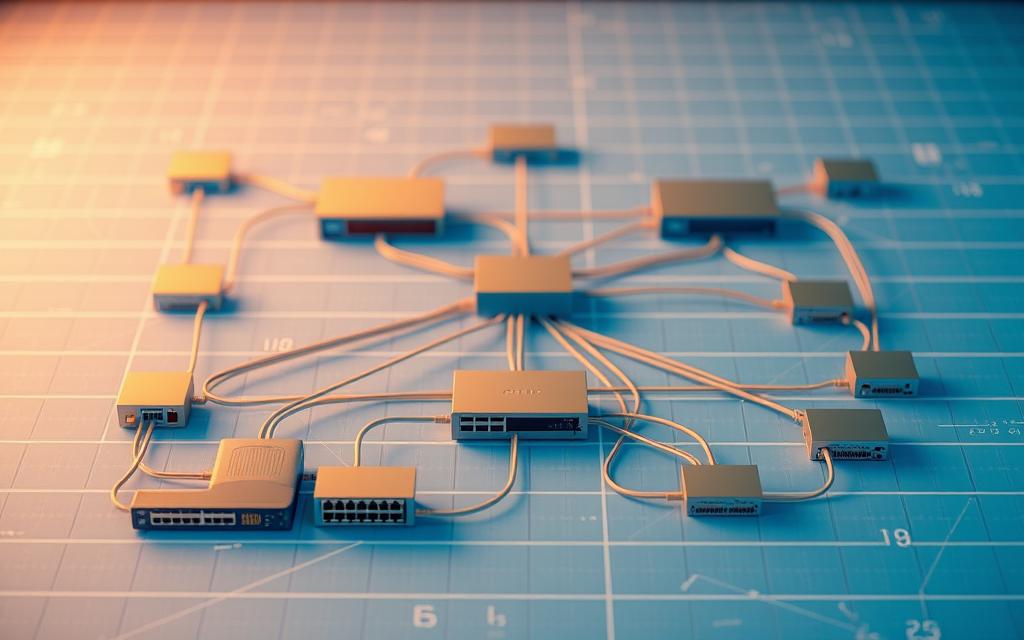
This plan includes the real setup of parts and how data moves. The physical topology shows where cables, routers, and computers are placed.
Readers exploring topology examples often end up considering watch dish streaming as part of the same topic.
On the other hand, logical topology is about how data moves, not where things are. Picking the right setup affects your network’s speed, reliability, and safety.
These choices also shape costs and how much your system can grow. Knowing these basics helps us dive into different topology types and how they work.
What is Topology in Computer Network and Its Types
Network topology is like a blueprint for how devices talk to each other in a computer network. It shows how things are set up and how data moves around.
The word “topology” comes from Greek. “Topo” means place and “logy” means study. So, topology is all about studying how things are arranged and connected in digital spaces.
There are two main parts to topology: physical and logical. The physical part is about the real-world connections between devices. This includes cables, routers, and switches and how they’re laid out.
The logical topology is about the paths data takes, even if it doesn’t follow the physical layout.
“The logical topology defines how data moves through the network, regardless of how devices are physically connected.”
When designing networks, knowing both physical and logical topologies is key. A network might look like a star in real life but work like a bus or ring for data. This knowledge helps engineers make networks better and fix problems.
Each type of topology affects how a network works:
| Topology Aspect | Performance Impact | Management Consideration |
|---|---|---|
| Data Flow Patterns | Determines transmission speed | Affects congestion management |
| Connection Redundancy | Influences network reliability | Impacts fault tolerance planning |
| Scalability Design | Affects expansion capabilities | Requires future growth assessment |
Choosing the right topology is important. It affects how fast data moves and how reliable the network is. Each type has its own good points and challenges.
Choosing the right topology helps data flow smoothly, avoids bottlenecks, and boosts security. It’s the base of all network operations and management. So, understanding topology is vital for anyone working with networks.
Bus Topology: Structure and Applications
Bus topology is known for its simple design. It connects all devices to one line, making it easy to set up. Many organisations have found it effective over the years.

How Bus Topology Operates
In bus topology, all devices connect to a central cable. Data moves in both directions on this cable. Each device can send and receive data.
Terminators at both ends of the cable stop signals from bouncing back. This ensures data travels smoothly through the network.
Benefits of Bus Topology
Bus topology is cost-effective and easy to set up. It needs only one main cable and N drop lines for N devices. This saves money on installation and upkeep.
It uses familiar cables like coaxial or twisted pair. This makes it simple to implement. It also requires less hardware than other topologies.
Limitations of Bus Topology
Bus topology has its downsides. If the main cable fails, the whole network goes down. This makes it unreliable for critical tasks.
Heavy traffic can cause data collisions, slowing down the network. As more devices join, communication gets slower. Security is also a concern, as data can be accessed by any device.
Real-World Examples of Bus Topology
Early Ethernet LANs used bus topology with coaxial cables. They connected computers in offices, providing basic networking before more advanced systems.
Cable TV networks also use bus topology. A main cable runs through neighbourhoods, with homes connecting via drop lines. This delivers TV signals efficiently to many subscribers.
Some industrial control systems use bus topology for its simplicity and cost. It works well for real-time data collection from sensors, providing good performance without complex setup.
Star Topology: Centralised Connectivity
Star topology is a key network setup, known for its organised way of connecting devices. It has a central hub that acts as the main communication point for all devices. This setup ensures data is sent in an orderly fashion, making it efficient.
Functioning of Star Topology
In star topology, each device connects directly to a central hub, like a switch. This central point manages all data in the network. When a device wants to talk to another, it sends the data to the hub. The hub then sends it to the right device.
Hubs are mainly passive or active. Passive hubs just send data to all devices. Active hubs, on the other hand, boost signals before sending them out, making the network reach further.
Advantages of Star Topology
Star topology has many benefits that make it popular today:
- Easy installation: Setting up N devices only needs N cables, making it simple.
- Minimal port requirements: Each device needs just one port to connect to the hub.
- Enhanced network reliability: If one connection fails, it won’t affect other devices.
- Straightforward troubleshooting: It’s easy to find and fix problems in the network.
- Cost-effective cabling: You can use cheap coaxial cable for most setups.
Drawbacks of Star Topology
Despite its benefits, star topology has some downsides:
- Single point of failure: The whole network stops working if the hub fails.
- Higher installation costs: Setting it up can be expensive compared to other setups.
- Performance dependency: The network’s speed depends on the hub’s power.
- Potential bottlenecks: Too much traffic can slow down the hub, affecting the network.
Instances of Star Topology Usage
Star topology is widely used in many networks. It’s common in office LANs, where computers connect to central switches. It’s also used in wireless networks, with devices linking to access points as the central hub.
Analysis shows star topology is a top choice today. It’s popular in schools, small businesses, and homes for its easy setup and upkeep.
| Feature | Star Topology | Bus Topology | Ring Topology |
|---|---|---|---|
| Central Device | Required (Hub/Switch) | Not Required | Not Required |
| Fault Isolation | Excellent | Poor | Moderate |
| Installation Cost | Moderate to High | Low | Moderate |
| Network Reliability | High (except hub failure) | Low | Moderate to High |
| Scalability | Easy to expand | Difficult to expand | Moderately difficult |
The table shows why star topology is best for network reliability. Its structured design gives a solid base for communication needs while allowing for growth.
Ring and Mesh Topologies: Redundancy and Reliability
Bus and star topologies are simple but sometimes not enough. Ring and mesh topologies are more complex. They focus on making networks more reliable and fault-tolerant.
Ring Topology Mechanics
Ring topology has devices in a circle, each connected to two others. It uses token passing to manage data flow.
Data moves in one direction, but some rings can go both ways for more reliability. The token lets one device send data at a time, avoiding data crashes.

Pros and Cons of Ring Topology
Ring networks are good for handling data efficiently:
- High-speed performance with few data crashes
- They’re cheaper to set up than complex topologies
- Data flows smoothly with token passing
- All devices get equal access
But, they also have big downsides:
- One faulty node can stop the whole network
- Fixing problems takes time and effort
- Expanding the network means shutting it down
- Data security is lower as it goes through many nodes
Mesh Topology Design
Mesh topology is the most reliable, with lots of connections. In a full mesh, every device connects to every other one. This creates many paths for data to travel.
Partial mesh is a more practical option. It gives key nodes many connections but less for others. This setup ensures data can always find a path, without relying on one point.
Strengths and Weaknesses of Mesh Topology
Mesh topologies are very strong:
- Superior fault tolerance with many paths
- Data moves quickly and directly
- It’s easy to find and fix problems
- Data is safer as it goes through private channels
But, they’re also very expensive and complex:
- More cables are needed as devices increase
- Setting it up and keeping it running is hard
- It costs a lot more than other topologies
To see how these topologies compare, check out the difference between ring and mesh topologies.
Examples of Ring and Mesh Topologies
Ring topology is used where data needs to move in order without needing lots of bandwidth. It’s common in small office LANs and traditional token ring networks for its simplicity and cost.
Mesh topology is for critical systems where downtime is not allowed. The internet backbone uses mesh to stay connected worldwide, even with local failures. Military and aircraft systems also use mesh for continuous operation under harsh conditions.
Both topologies aim to make networks more reliable. Ring networks offer cost-effective redundancy, while mesh networks provide the highest fault tolerance for critical data.
Tree and Hybrid Topologies: Scalability and Flexibility
When standard topologies don’t cut it, tree and hybrid setups offer advanced solutions. They bring scalability and flexibility to modern networks. This is key in today’s fast-changing business world.
Tree Topology Overview
Tree topology mixes star and bus setups in a hierarchical way. It has central hubs and secondary ones, forming a tree-like network.
This design helps data move through levels efficiently. It’s perfect for organisations with complex communication needs. It also supports good data management across different areas.
Benefits and Challenges of Tree Topology
The tree setup has big pluses for growing networks. It lets more devices connect to a central hub, reducing signal travel. This makes it great for expanding networks.
It also makes managing the network easier. You can focus on specific parts and boost security. Adding new devices is simple within the tree’s structure.
But, tree topology has downsides. If the central hub fails, the whole network is at risk. It also costs more to set up and can be hard to change when adding devices.
Hybrid Topology Composition
Hybrid topology mixes different network types to create custom solutions. It combines star, bus, ring, or mesh setups to fit specific needs.
The mix depends on what the network needs. Each part is designed for its role. This makes it flexible and can’t be matched by standard topologies.
Applications of Tree and Hybrid Topologies
Tree topology is great for big organisations with a clear hierarchy. It’s used in companies where communication flows from top to bottom.
Hybrid topology is for complex setups. Universities often use it, mixing different types across buildings and facilities.
Both are good at handling scalability needs. They let networks grow without needing a full overhaul. This is super useful for businesses that are growing or changing a lot.
Selecting the Appropriate Network Topology
Choosing the right network topology is a key decision in network design. It affects your organisation’s efficiency and growth. The best choice balances performance, budget, security, and reliability.
Network architects need to consider several factors:
- Network size and growth projections: Small networks might do well with simple topologies. But, growing businesses need scalable solutions.
- Performance requirements: Apps that handle lots of data need topologies that boost bandwidth and cut latency.
- Fault tolerance needs: Critical operations need backup paths and automatic failover.
- Security considerations: Topologies vary in security risks and how hard they are to protect.
- Budget constraints: Costs for setting up and running different topologies vary a lot.
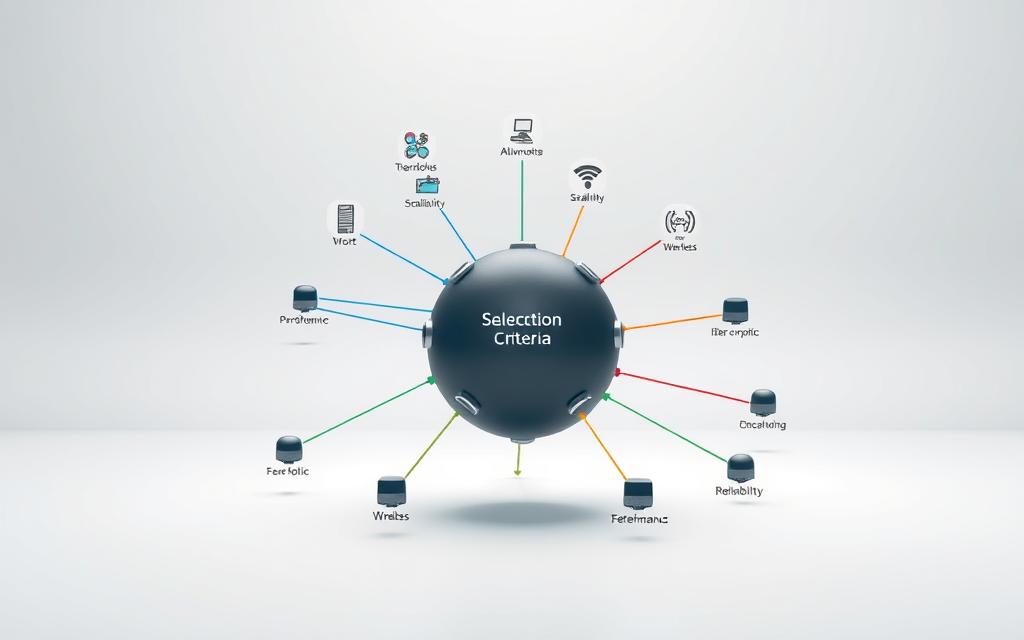
Topologies have different performance levels. Bus topologies are simple but slow down as more devices are added. Star networks offer steady performance but have a central point of failure. Mesh networks are fast and fault tolerant but expensive.
Reliability is key. Networks that must always be on need topologies with built-in fault tolerance and automatic rerouting. The more redundancy, the better the network stays up during failures.
Security varies by topology. Centralised designs are easier to manage but more tempting for hackers. Distributed designs are harder to manage but limit damage from breaches. Each company must think about its security needs and resources when choosing a topology.
Planning for growth is important. Some topologies grow easily, while others need a complete overhaul. Companies growing fast should choose topologies that expand without losing performance.
In conclusion, there’s no one-size-fits-all network topology. The best choice depends on your organisation’s needs, limits, and goals. A careful look at these factors ensures your chosen topology meets your needs now and in the future.
Conclusion
Network topology is the base of any computer network. It affects how well the network works, its reliability, and its security. The way nodes and connections are set up decides how data moves, finds problems, and stays strong under different situations.
Each type of network has its own benefits. Bus topology is simple for small networks. Star topology makes managing the network easier. Ring and mesh topologies add redundancy. Tree or hybrid topologies help networks grow.
Network security is closely tied to its design. Star topology makes it easier to watch over the network. Mesh topology needs a strong protection plan. Knowing this helps companies set up the right security.
As technology like 5G, wireless systems, and cloud computing changes, network design stays important. Experts who understand these basics can build networks that work well now and grow in the future. The right network design is key to a strong digital setup.
FAQ
What is network topology in computer networks?
Network topology is how devices and connections are set up in a computer network. It shows the physical layout of hardware and the paths data takes. This is key to how networks work and are organised.
What is the difference between physical and logical topology?
Physical topology shows the real setup of network parts like cables and routers. Logical topology is about the path data takes, which might not match the physical setup. For example, data in a star setup might follow a ring path.
Why is selecting the right network topology important?
Choosing the right topology affects performance, cost, reliability, and security. It impacts data speeds, fault tolerance, and how easy it is to fix problems. It also affects scalability and meeting organisational needs.
What are the main types of network topologies?
Main types include bus, star, ring, mesh, tree, and hybrid. Each has its own structure, data flow, and redundancy. They suit different environments.
How does bus topology work and where is it used?
Bus topology has all devices on one cable, with data moving both ways. It’s cheap and simple but can fail if one part breaks. It’s used in Ethernet LANs and cable TV.
What are the advantages and disadvantages of star topology?
Star topology is reliable and easy to expand. But, it has a central point that can fail. It’s common in office LANs and wireless networks.
How do ring and mesh topologies enhance reliability?
Ring topology has a circular connection for orderly data flow. Mesh topology has many paths, making it very reliable. Both are good for places where data must be sent reliably, like in token ring networks or military systems.
What makes tree and hybrid topologies scalable?
Tree topology is a mix of star and bus, making it easy to grow. Hybrid topology combines different topologies for flexible networks. They’re good for big places like universities or big companies.
How should I choose the best network topology for my organisation?
Think about your network size, needs, reliability, security, budget, and growth. There’s no one best topology. The right one depends on your specific needs.
Can network topologies evolve with new technologies?
Yes, understanding topologies is key as technology changes. New tech like 5G, wireless, and cloud computing affects network design. Topologies help networks adapt to these changes.


 By
By